CyberToolBox
Overview#
Cyber ToolBox is my first project using C#, .NET, Visual Studio, and an Oracle database. The main goal was to learn these technologies before starting my end-of-degree internship.
The application is a small web toolbox that provides several security-related checks by calling external APIs. The overall difficulty of the project is not especially high, but it was still a good way to get comfortable with a new stack in a short time.
Features#
- Dashboard
- Password Checker
- IP Checker
- URL Checker
- History
Tech Stack#
- Front-end: ASP.NET Core Razor
- Back-end: ASP.NET Core with C# services
- Database: Oracle
UI / UX#
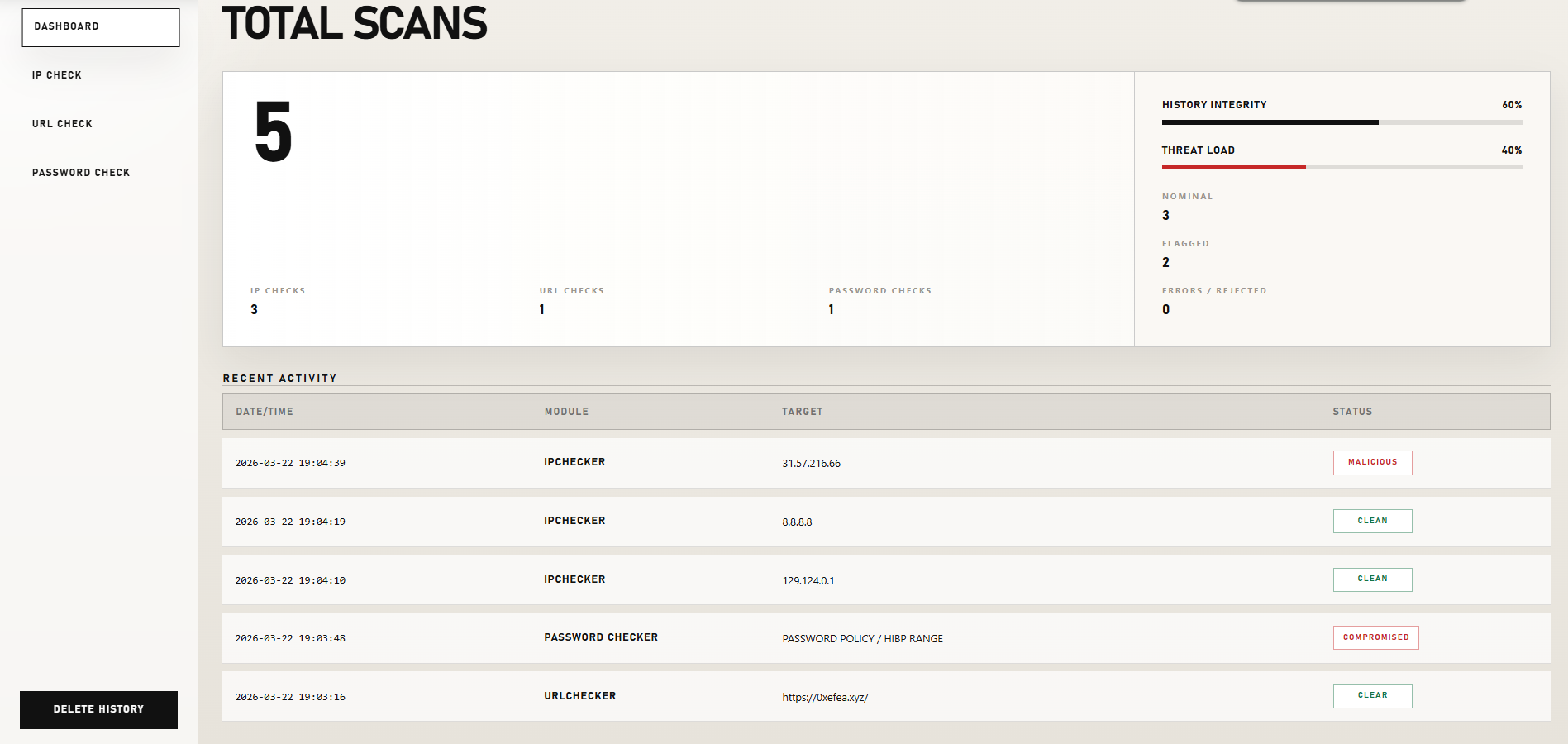
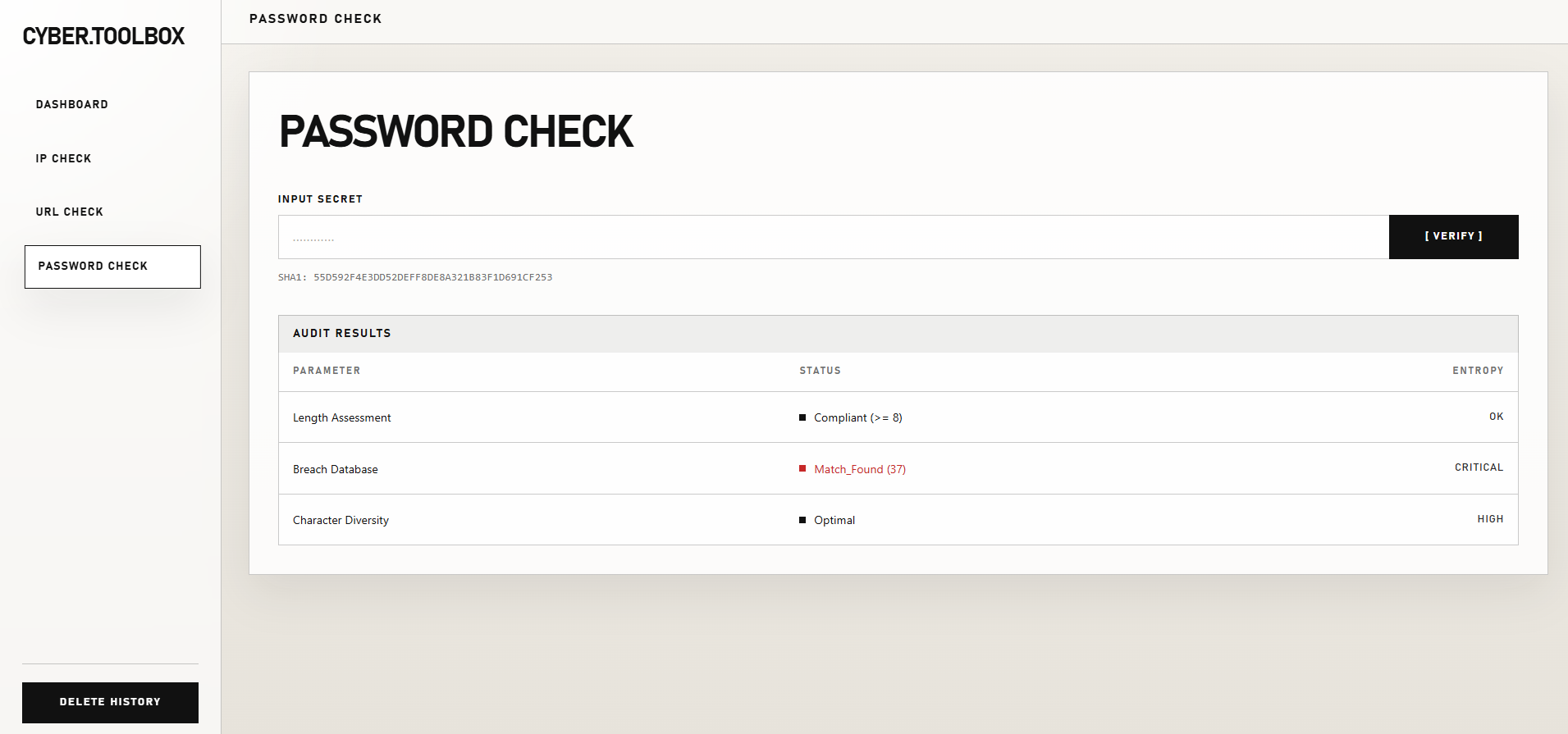
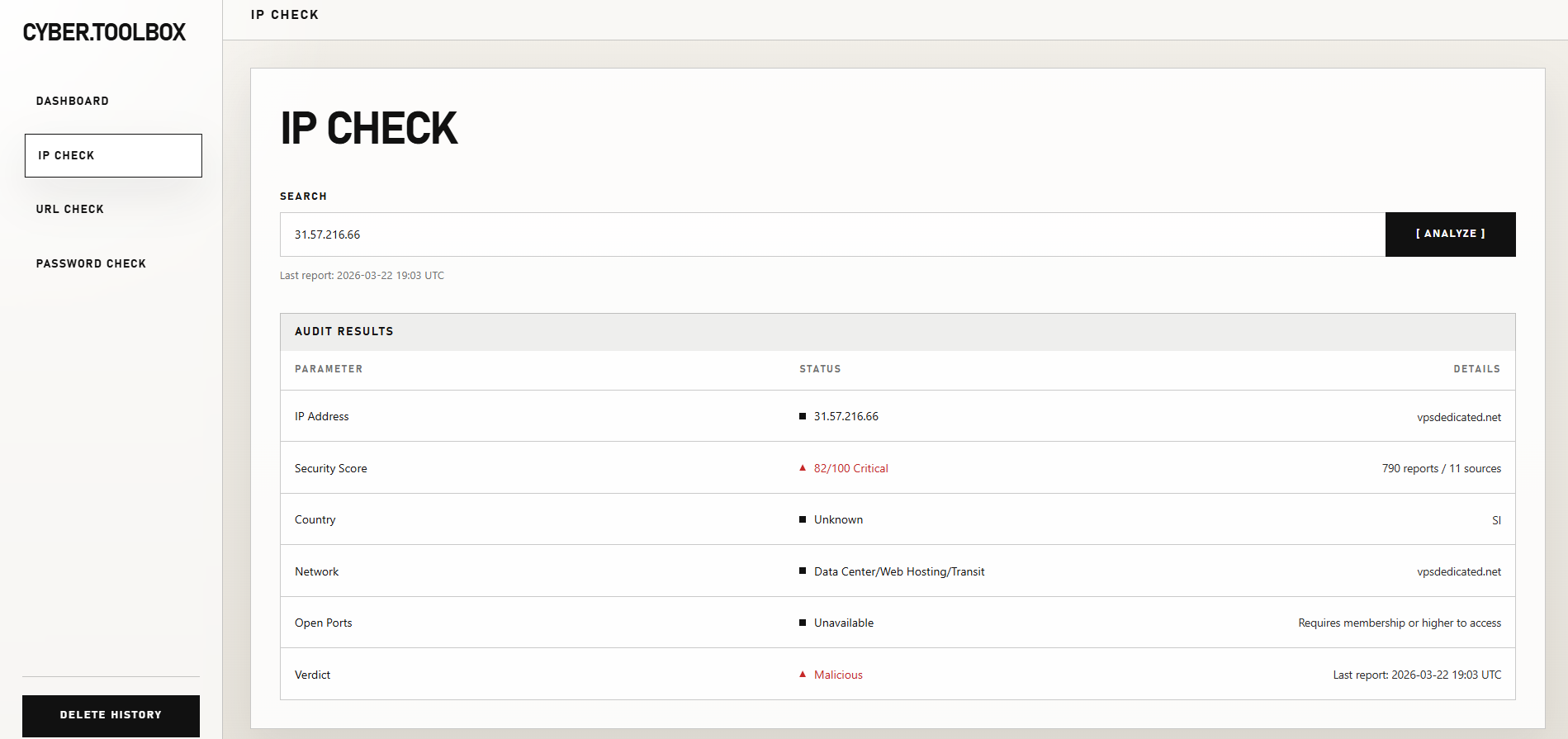
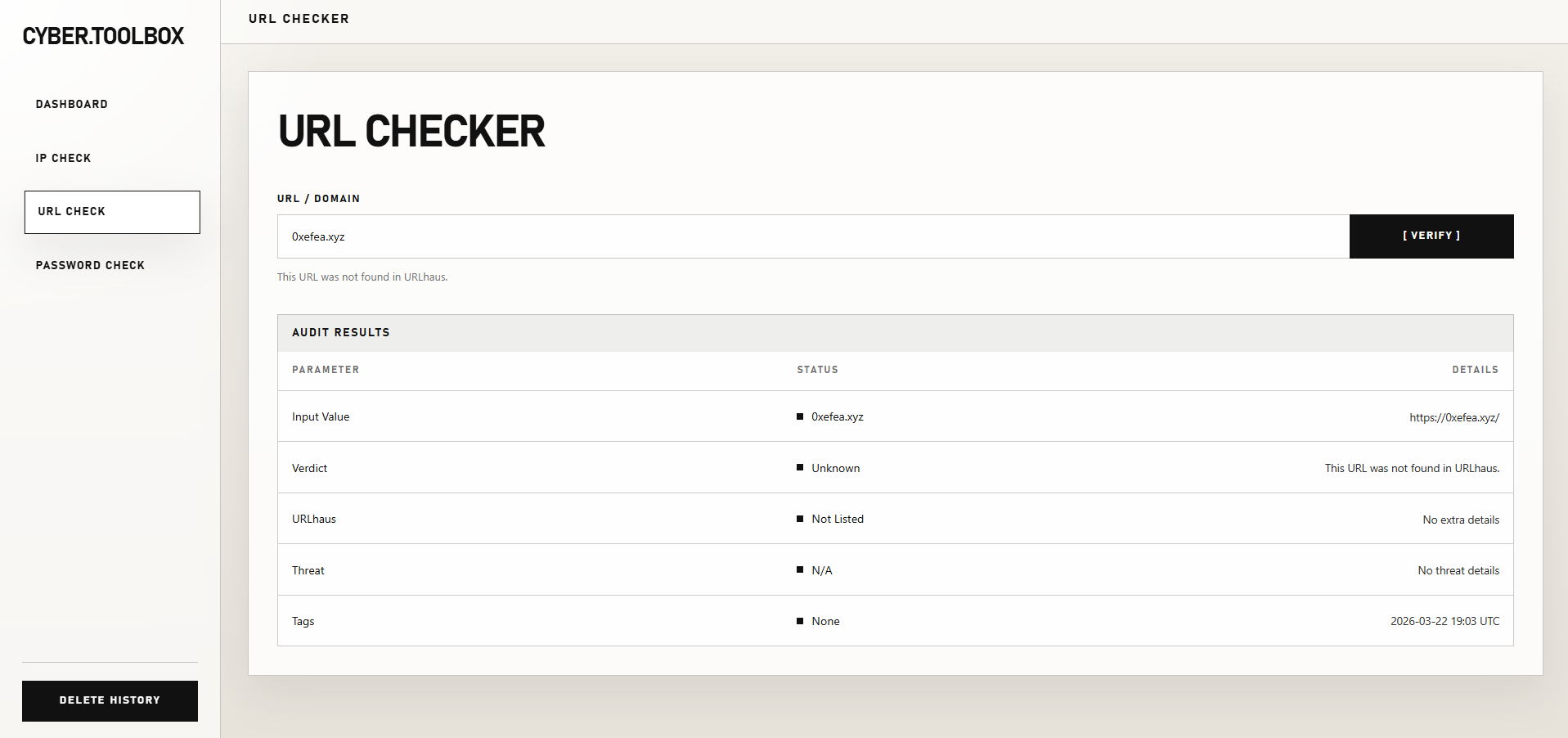
Since design is not my strongest skill, I decided to delegate the UI ideas to Google Stitch. These are the interfaces of the application.
Dashboard#
Password Check#
IP Check#
URL Check#
I did not want to spend too much time building the front-end by hand because it’s not the point of the project, so I also used Codex to generate the full front-end structure.
Database Design#
Common Columns#
Each history table shares the same four technical columns:
| Column | Type | Notes |
|---|---|---|
ID |
NUMBER(19) |
Primary key, Oracle Identity auto-increment |
REQUESTED_AT_UTC |
TIMESTAMP(7) WITH TIME ZONE |
Required |
STATUS |
NVARCHAR2(32) |
Required |
ERROR_MESSAGE |
NVARCHAR2(1000) |
Nullable |
Possible values for STATUS:
CompletedRejectedError
Table: IP_CHECK_HISTORY#
Stores IP lookup requests using AbuseIPDB and Shodan.
| Column | Type | Notes |
|---|---|---|
IP_ADDRESS |
NVARCHAR2(45) |
Input IP address |
ABUSE_CONFIDENCE_SCORE |
NUMBER(10) |
AbuseIPDB score |
COUNTRY_CODE |
NVARCHAR2(8) |
Country code |
COUNTRY_NAME |
NVARCHAR2(128) |
Country name |
NETWORK_NAME |
NVARCHAR2(255) |
Network / ISP name |
HOSTNAME |
NVARCHAR2(255) |
Host name |
OPEN_PORTS_COUNT |
NUMBER(10) |
Number of open ports |
OPEN_PORTS_TEXT |
NVARCHAR2(512) |
Open ports as text |
VERDICT |
NVARCHAR2(64) |
Final verdict |
TOTAL_REPORTS |
NUMBER(10) |
Total abuse reports |
DISTINCT_REPORTERS |
NUMBER(10) |
Number of distinct reporters |
LAST_REPORTED_AT_UTC |
TIMESTAMP(7) WITH TIME ZONE |
Last report date |
SHODAN_STATUS |
NVARCHAR2(32) |
Shodan request status |
Table: URL_CHECK_HISTORY#
Stores URL checks.
| Column | Type | Notes |
|---|---|---|
INPUT_VALUE |
NCLOB |
Raw user input |
NORMALIZED_URL |
NCLOB |
Cleaned and normalized URL |
IS_VALID |
NUMBER(10) |
Boolean-like value: 0 or 1 |
IS_LISTED |
NUMBER(10) |
Boolean-like value: 0 or 1 |
VERDICT |
NVARCHAR2(64) |
Final verdict |
SUMMARY |
NVARCHAR2(1000) |
Short result summary |
THREAT |
NVARCHAR2(255) |
Threat category |
URL_STATUS |
NVARCHAR2(128) |
URLhaus result status |
HOST |
NVARCHAR2(255) |
Host name |
REFERENCE |
NVARCHAR2(1000) |
Reference link or detail |
DATE_ADDED_TEXT |
NVARCHAR2(128) |
Text version of the add date |
TAGS_TEXT |
NVARCHAR2(1000) |
Tags as text |
Table: PASSWORD_CHECK_HISTORY#
Stores password checks without storing any secret.
| Column | Type | Notes |
|---|---|---|
IS_PWNED |
NUMBER(10) |
Boolean-like value: 0 or 1 |
PWN_COUNT |
NUMBER(10) |
Number of leaks found |
LENGTH_OK |
NUMBER(10) |
Boolean-like value: 0 or 1 |
CHAR_DIVERSITY |
NUMBER(10) |
Boolean-like value: 0 or 1 |
VERDICT |
NVARCHAR2(64) |
Final verdict |
Important: no password is stored in the database.
Feature Explanation#
Dashboard#
The dashboard reads the three Oracle history tables. It:
- counts the total number of scans,
- counts clean, flagged, and error results,
- mixes the latest rows from the three modules to show recent activity.
The Delete History button clears all three history tables.
IP Check#
The user enters an IP address. The application first checks whether the input is a valid IP.
If it is valid:
- it calls AbuseIPDB to get the IP reputation,
- it calls Shodan to retrieve open ports,
- it builds a verdict from the AbuseIPDB score,
- it stores the result in
IP_CHECK_HISTORY.
Verdict logic:
0      -> Clean
1-24   -> Review
25-74  -> Suspicious
75+    -> Malicious
URL Check#
The user enters a URL or a domain.
The application cleans the input, adds https:// when needed, and checks whether the URL is valid.
If the URL is valid, it queries URLhaus. The API response is interpreted like this:
ok         -> the URL is known as malicious
no_results -> the URL was not found
other      -> error
The application then displays a simple verdict and stores the result in URL_CHECK_HISTORY.
Password Check#
The user enters a password. The application computes the SHA-1 hash locally.
That hash is split into two parts:
first 5 characters  -> sent to the HIBP API
remaining suffix    -> kept locally
The API returns a list of suffixes matching the prefix. The application then compares the local suffix with the returned list.
- If the suffix is found, the password has already appeared in a breach.
- Otherwise, it is not found in the database.
The application also checks:
- length
>= 8 - character diversity: lowercase, uppercase, digit, special character
Final verdict:
Compromised -> found in HIBP
Strong      -> long enough and diverse enough
Weak        -> otherwise
Conclusion#
This project allowed me to use C#, Visual Studio, and Oracle DB for the first time. Since I already had some experience with Java, learning the stack was not too difficult. The features were also simple enough for me to finish the project in a single weekend, and I enjoyed building it.
Repository: 0xEfeA/Cyber-ToolBox